
Gartner estimates that by 2025, 70% of new enterprise applications will use low-code or no-code technologies, but for development teams building real-time communication products, the need for precise programmatic control has never been greater. Video meetings now sit at the center of customer onboarding, sales pipelines, support escalation, and compliance workflows, making API-driven meeting management a core engineering requirement.
Manual meeting management simply does not scale. When a sales demo needs to spin up the moment a lead fills a form, or a support session must auto-terminate after issue resolution, relying on a human to click buttons introduces delays, inconsistency, and missed automation opportunities.
Meeting lifecycle APIs solve this by giving developers granular, programmatic control over every phase of a meeting, from creation and scheduling to in-session bot actions, recording, and post-meeting data retrieval. MeetStream.ai is purpose-built for this use case, offering a REST API that treats meetings as programmable, data-producing events in your broader software architecture.
In this article, we will explore how to use MeetStream’s REST APIs to control the full meeting lifecycle programmatically, with real-world use cases, endpoint walkthroughs, and integration patterns for building intelligent, automated meeting workflows. Let’s get started!
Understanding the Meeting Lifecycle and Why Programmatic Control Matters
The meeting lifecycle encompasses every stage of a meeting from creation and initiation to in-session actions and post-event processing. These stages typically include:
- Pre-meeting setup: Scheduling, metadata definition, participant assignment
- Session initiation: Starting the meeting programmatically
- In-meeting interactions: Bot integration, real-time transcription, topic tracking
- Session wrap-up: Automatically ending the meeting
- Post-meeting tasks: Data export, transcript analysis, webhook triggers
Traditionally, teams have relied on manual UI-based workflows or platform-specific controls to manage these phases.
While sufficient for one-off use, such approaches fall short in automated, event-driven systems where speed, reliability, and scalability are critical.
With REST APIs, developers can automate virtually everything: start a meeting when a support ticket escalates, end it based on time limits, dynamically attach bots, or push data to external systems in real-time.
This automation ensures that meetings become integral components of intelligent workflows rather than disjointed experiences.
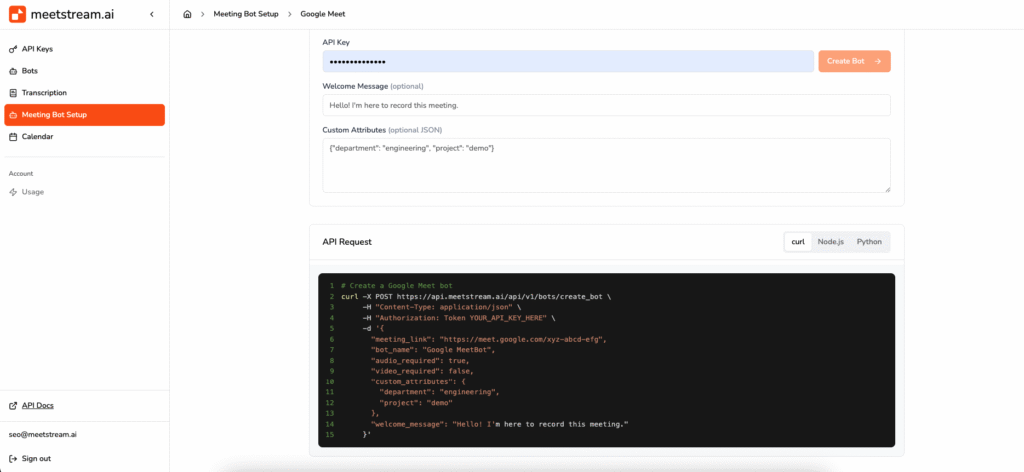
MeetStream’s REST APIs: Full-Stack Control for Every Meeting Phase
MeetStream provides a comprehensive suite of REST APIs designed to give developers complete lifecycle control over meetings.
Whether you’re building an internal tool, integrating with enterprise CRMs, or managing complex B2B workflows, MeetStream’s APIs offer the flexibility to adapt to diverse architectural needs from microservices to monolithic backends.
1. Pre-Meeting Control: Create and Configure
Using the /meetings/create and /meetings/schedule endpoints, developers can programmatically:
- Schedule meetings with flexible time zones
- Define metadata (title, agenda, host roles, custom tags)
- Link the meeting to business logic triggers or customer journeys
For instance, when a user registers for a product trial, a kickoff session can be scheduled instantly and stored in the user profile for follow-up.
2. Real-Time Meeting Orchestration
Live sessions are not static. MeetStream’s API supports dynamic, in-meeting controls:
- Attach bots for live transcription, keyword spotting, and sentiment analysis
- Trigger recordings, pause/resume video feeds, or mute/unmute participants
- Monitor real-time metrics such as speaking duration, participant presence, or engagement levels
Bots can be injected at any point, enabling just-in-time intelligence ideal for compliance audits, training feedback, or AI-generated action items.
3. Automated Session Termination and Post-Meeting Workflows
Once the purpose of a meeting is fulfilled, like completing a checklist or hitting a timeout MeetStream allows developers to terminate sessions via API.
Post-session, the /meetings/:id/summary and related endpoints allow retrieval or webhook delivery of:
- Meeting recordings
- Transcripts with speaker labels
- Participant logs and timestamps
- AI-generated summaries and action items
This empowers teams to push meeting data into CRMs, LMS platforms, project boards, or compliance repositories without manual intervention.
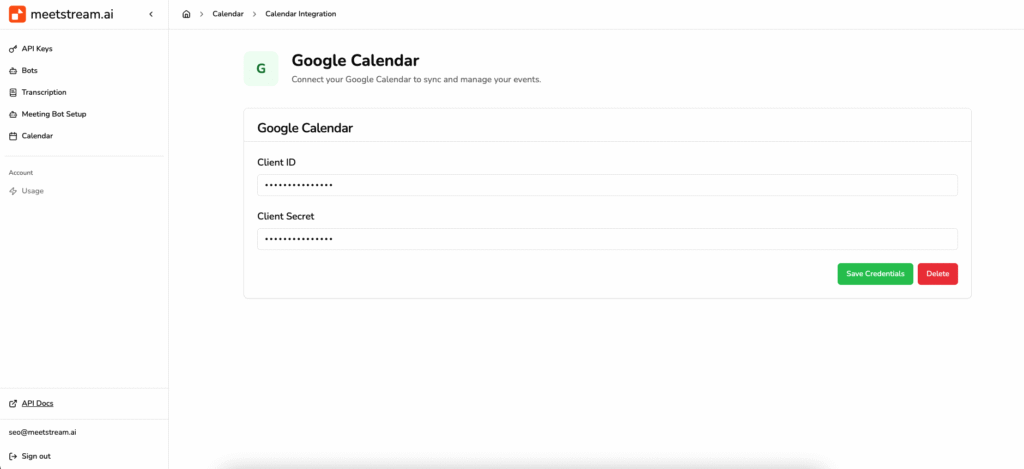
Programmatically Managing Meetings with MeetStream API
MeetStream’s REST APIs are purpose-built for developers seeking fine-grained control over virtual meeting workflows.
From the moment a session is created to its final wrap-up, every phase can be managed through code, unlocking immense opportunities for automation, customization, and intelligent orchestration.
Developers can create a meeting with a simple POST request to the MeetStream API, providing parameters such as the meeting title, scheduled time, duration, and optional metadata.
The response includes a unique meeting ID along with secure join URLs for participants and AI-powered bots. This entire flow can be embedded seamlessly into automated workflows like launching a discovery call after a lead submits a demo request or initiating a video session during critical support ticket escalations.
Starting a session is equally straightforward. A POST request to the /start endpoint launches the meeting in real time.
Bots can be pre-registered or dynamically attached, performing tasks such as real-time transcription, speaker identification, summarization, and multi-language translation for global teams.
For use cases that demand real-time interactivity and observability, MeetStream offers a suite of endpoints and webhook triggers. Developers can monitor session status, trigger compliance alerts, start/stop recordings, or inject conversational prompts.
These capabilities support dynamic workflows such as AI-powered coaching, quality assurance, or real-time compliance monitoring, where live insights are critical.
Upon meeting completion, sessions can be ended manually via API or automatically based on timeouts or system logic. Post-meeting workflows are powered by webhook payloads or follow-up API responses.
These include transcripts, AI summaries, sentiment analysis, recordings, and attendance logs. This data can be programmatically pushed to CRM systems, cloud storage platforms, internal dashboards, or sent as automated email summaries to relevant stakeholders.
MeetStream simplifies onboarding and development with rich documentation, language-specific SDKs (in Python, Node.js, Java, etc.), schema examples, and a full-featured sandbox environment.
Authentication is managed securely via API tokens, and all endpoints follow predictable, RESTful conventions with meaningful status codes and error responses making it easy for both enterprise developers and teams working on early-stage prototypes to get started quickly.
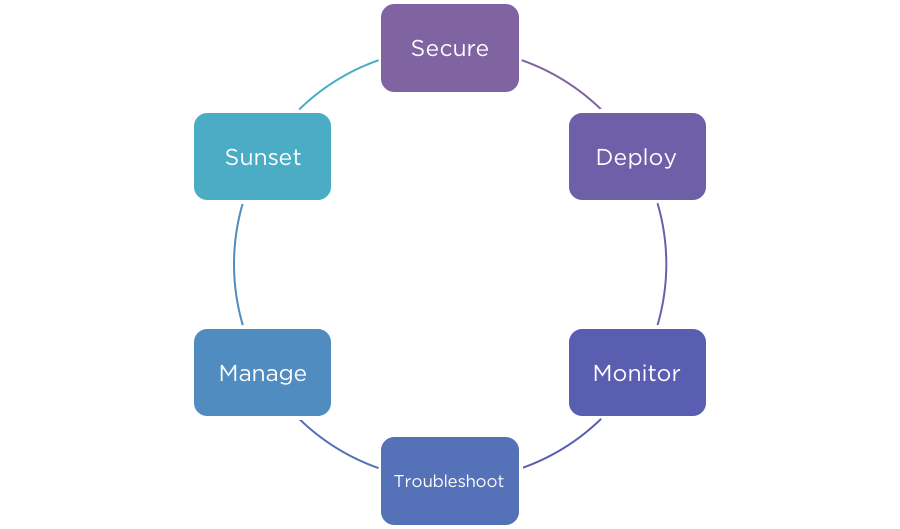
Real-World Use Cases for API-Controlled Meeting Workflows
The true value of MeetStream’s API becomes apparent in real-world applications. Teams across industries from SaaS and healthcare to education and customer support are using its APIs to automate, scale, and enrich their virtual communication infrastructure.
1. Customer Onboarding Automation
For SaaS companies, first impressions matter. MeetStream allows automated onboarding meetings to be scheduled and launched as soon as a new user signs up.
A virtual assistant bot joins the session to capture notes, generate a summary, and deliver the transcript directly to the sales or success team.
This ensures consistent onboarding, captures high-quality user insights, and reduces human effort in coordinating sessions.
2. Intelligent Support Escalation
In support operations, time-to-resolution is critical. When a support ticket hits a certain priority level, backend logic can trigger a video session with a domain expert using MeetStream’s APIs.
A transcription bot joins the session automatically, recording the conversation and generating a detailed log.
After the meeting, this transcript is attached to the support ticket in tools like Zendesk or Freshdesk, ensuring that all context is preserved for follow-up.
3. Training and Education Platforms
EdTech platforms and internal training systems are using MeetStream to automate live sessions between mentors and learners.
Meetings are scheduled based on course milestones or availability, and bots monitor attendance, record sessions, and generate post-session analytics.
All interactions are accessible through dashboards or integrated directly into Learning Management Systems (LMS), providing a data-driven view of learner engagement.
4. Regulatory Oversight & HR Compliance
Enterprises with compliance-sensitive workflow, especially in finance, legal, and HR, leverage MeetStream for oversight.
Meetings can be monitored by bots that detect specific phrases or patterns. If policy-violating language is detected, the system can trigger alerts, flag the conversation, or pause the session.
These features are essential for maintaining audit trails, enforcing communication guidelines, and supporting internal investigations.
In all these cases, MeetStream transforms meetings from isolated events into programmable assets, enhancing control, personalization, and insight.
Example API Flow for a Smart Onboarding Workflow
To demonstrate the simplicity of MeetStream integration, here’s a typical API-driven onboarding flow that can be implemented in hours:
- Create a Meeting
A developer sends a POST request with payload details: title, scheduled time, expected duration, and optional custom fields like user ID or product tier. The API responds with a meeting ID and join URLs. - Start the Meeting
When the time comes (or when triggered by a user action), a POST request to the /start endpoint initiates the session. The bot joins automatically. Participants receive invites via email or push notifications based on user preferences. - Real-Time Monitoring & Webhooks
As the session runs, MeetStream fires webhook events e.g., participant joined, bot action completed, recording started. These can be consumed by backend services to update CRMs, send reminders, or log user activity. - End and Process the Meeting
After the meeting ends (either via timeout or API call), MeetStream processes all associated media. Developers can call /summary or /transcript to retrieve finalized content, which can then be routed to Slack, Notion, Google Drive, or other collaboration tools.
This low-code approach to meeting management significantly reduces engineering effort while providing high levels of customizability, traceability, and user experience.
Conclusion: Meetings as Intelligent, Automated Workflows
As video meetings take center stage in hybrid work, digital onboarding, and global collaboration, the ability to manage them programmatically is no longer optional; it’s a competitive necessity.
Manual meeting management results in operational delays, inconsistent experiences, and lost data. MeetStream.ai changes this paradigm by offering developers full-stack control over video sessions through well-architected, secure, and developer-friendly REST APIs.
From automated scheduling and real-time orchestration to AI-powered transcription, recording, and analytics, MeetStream empowers teams to build smarter meeting infrastructure directly into their products and platforms.
Whether you’re developing internal tools, customer-facing platforms, or AI assistants, MeetStream provides the foundation to build scalable, reliable, and intelligent meeting experiences with confidence.
What REST APIs control meeting bots?
Meeting bot platforms like MeetStream.ai expose REST APIs that let developers create meetings, attach bots, start and stop recording, retrieve transcripts, and trigger post-meeting workflows. Key endpoints typically include /meetings/create, /meetings/start, /meetings/:id/summary, and /meetings/:id/end. These APIs follow standard REST conventions with token-based authentication.
How do you programmatically manage meeting lifecycles?
Programmatic meeting lifecycle management involves using REST API calls to handle each phase: scheduling meetings via POST requests, starting sessions when triggered by business logic, monitoring in-meeting events through webhooks, and retrieving transcripts or summaries after the call ends. Platforms like MeetStream.ai provide all these endpoints along with a sandbox for testing.
What endpoints does a meeting bot API expose?
A meeting bot API typically exposes endpoints for creating and scheduling meetings, starting and ending sessions, attaching bots for transcription or recording, retrieving transcripts and summaries, and receiving webhook events for real-time status updates. MeetStream.ai also provides participant logs, sentiment analysis, and speaker-labeled output via its API.
How do you start and stop a meeting bot via API?
To start a meeting bot via API, send a POST request to the /meetings/start endpoint with your meeting ID and bot configuration. The bot joins the session and begins transcribing or recording automatically. To stop it, send a POST request to /meetings/:id/end or configure automatic termination based on timeout or a trigger event such as all participants leaving.