
Choosing between MeetStream vs Recall.ai is one of the most important infrastructure decisions for developers building meeting automation tools. Both platforms provide APIs for launching bots into Zoom, Google Meet, and Microsoft Teams — but they take fundamentally different approaches to architecture, pricing, and developer experience.
This guide gives you an honest, side-by-side comparison of MeetStream and Recall.ai across every dimension that matters: latency, API design, platform coverage, pricing, compliance, and NLP integration readiness. By the end, you’ll know exactly which platform fits your use case.
Quick Decision Framework: MeetStream vs Recall.ai
Before diving into details, here’s a quick decision framework based on your primary use case:
| Your Priority | Choose MeetStream | Choose Recall.ai |
|---|---|---|
| Latency-sensitive real-time apps | ✅ Sub-200ms streaming-first architecture | ~200ms, cohesive workflow |
| Rapid prototyping / hackathons | ✅ Single REST call to launch bot | More setup required |
| 6+ platform coverage (Webex, Slack, GoTo) | Zoom/Meet/Teams today; expanding | ✅ 6 platforms out of the box |
| Enterprise compliance (SOC 2, HIPAA) | ✅ GDPR, SOC 2, HIPAA, ISO 27001 | ✅ GDPR, SOC 2, HIPAA, ISO 27001 |
| Cost-sensitive startups | ✅ Free tier for early adopters | $0.70/hr + $0.15/hr transcription |
| Custom AI/NLP pipelines | ✅ Raw WebSocket streams for Whisper/GPT | Built-in transcription providers |
| Published SLA & concurrency guarantees | 99.9% SLA on roadmap | ✅ 99.9% SLA, billions of minutes |
| Multi-language SDKs | REST + WebSocket (language-agnostic) | ✅ Node.js, Python, Ruby SDKs |
What is MeetStream?
MeetStream is a unified meeting bot API built for developers who need ultra-low latency streaming and a simple integration path. With a single REST POST call (just pass the meeting URL), you can launch a bot into Zoom, Google Meet, or Microsoft Teams and instantly access:
- Separate WebRTC streams for audio and video per participant
- WebSocket feeds optimized for sub-200ms latency processing
- Real-time transcription with accurate speaker diarization via webhook or REST pull
- Lifecycle events — participants joining/leaving, screen shares, device metadata
- Enterprise-grade compliance with GDPR, SOC 2, HIPAA, and ISO 27001
MeetStream’s lightweight, async-ready architecture makes it the strongest choice for startups, research labs, and teams building real-time NLP, analytics, or coaching tools.
What is Recall.ai?
Recall.ai positions itself as the universal API for meeting bots with broad platform coverage. It supports Zoom, Google Meet, Microsoft Teams, Webex, Slack Huddles, and GoTo Meeting. Key features include:
- Real-time audio/video streaming with ~200ms latency
- Transcripts with speaker separation and metadata enrichment
- Lifecycle events via webhooks
- Enterprise compliance (GDPR, SOC 2, HIPAA, ISO 27001)
- A guaranteed 99.9% uptime SLA
Recall.ai is well-suited for enterprise environments where multi-platform support and published SLAs are essential. However, its infrastructure is heavier compared to MeetStream’s lean, streaming-first model.
Feature-by-Feature Comparison Table
| Feature | MeetStream | Recall.ai |
|---|---|---|
| Platforms Supported | Zoom, Google Meet, Teams | Zoom, Meet, Teams, Webex, Slack, GoTo |
| Audio Streaming Latency | Sub-200ms (WebSocket) | ~200ms (WebSocket) |
| Video Streaming | Per-participant WebRTC | Per-participant streams |
| Transcription | Built-in with diarization | Built-in + 3rd party (Rev.ai, Speechmatics) |
| Speaker Diarization | ✅ Real-time via webhook | ✅ Per-participant audio streams |
| API Style | REST + WebSocket (minimalist) | REST + SDKs (full-featured) |
| Bot Launch | Single REST POST call | REST endpoint + configuration |
| Webhooks | ✅ Lifecycle events | ✅ Lifecycle + transcripts |
| SDKs | REST (language-agnostic) | Node.js, Python, Ruby |
| Compliance | GDPR, SOC 2, HIPAA, ISO 27001 | GDPR, SOC 2, HIPAA, ISO 27001 |
| Uptime SLA | 99.9% (roadmap) | 99.9% (guaranteed) |
| Free Tier | ✅ Early adopter access | 5 hours free, then $0.70/hr |
| Best For | Real-time AI apps, startups, hackathons | Enterprise multi-platform deployments |
Detailed Comparison
1. Platform Coverage
MeetStream currently supports Zoom, Google Meet, and Microsoft Teams — the three most widely used enterprise meeting platforms. For developers targeting these core platforms, MeetStream covers 95%+ of enterprise meeting volume.
Recall.ai offers broader platform coverage out of the box, including Webex, Slack Huddles, and GoTo Meeting. If your application needs to support all six platforms from day one, Recall.ai has the edge. However, MeetStream’s roadmap shows rapid expansion, with a stronger emphasis on performance-first integrations.
2. Audio/Video Streaming & Latency
This is where MeetStream differentiates most strongly. MeetStream specializes in low-latency, per-participant audio and video feeds via WebSocket. For applications like real-time transcription, sentiment analysis, live coaching, or compliance monitoring, every millisecond matters — and MeetStream’s sub-200ms architecture is purpose-built for these use cases.
Recall.ai also delivers per-user media streams with approximately 200ms latency and wraps streaming and transcription into a cohesive workflow. Both use secure WebSocket transport, but MeetStream positions itself more strongly for latency-sensitive applications.
3. API Design & Developer Experience
MeetStream follows a minimalist API design philosophy. Here’s how launching a bot compares:
MeetStream — Launch a Bot (One API Call)
curl -X POST https://api.meetstream.ai/v1/bots
  -H "Authorization: Bearer YOUR_API_KEY"
  -H "Content-Type: application/json"
  -d '{
    "meeting_url": "https://zoom.us/j/123456789",
    "config": {
      "audio_stream": true,
      "video_stream": true,
      "transcription": true
    }
  }'
That’s it. One POST call with the meeting URL and you’re streaming audio, video, and transcripts in real time. MeetStream’s REST API combined with WebSocket feeds makes it ideal for developers building AI meeting assistants, custom NLP integrations, or real-time bots.
Recall.ai takes a full-featured enterprise approach with REST endpoints for bot lifecycle management, SDKs in Node.js, Python, and Ruby, and webhook support for transcripts and speaker events. This provides more developer tooling but comes with a heavier integration footprint.
4. Pricing Comparison
| Component | MeetStream | Recall.ai |
|---|---|---|
| Base Recording | Free tier for early adopters | $0.70/hour |
| Transcription | Included | +$0.15/hour |
| Storage | Included | Free 7 days, then $0.05/hr/month |
| Free Tier | ✅ Generous early adopter program | 5 hours free |
| Cost for 100 hrs/month | Contact for pricing | ~$85/month ($70 + $15 transcription) |
| Billing Model | Usage-based | Pay-as-you-go, prorated |
For cost-sensitive startups and early-stage companies, MeetStream’s free tier and included transcription offer significant savings. Recall.ai’s pricing is transparent but adds up quickly when you include transcription and storage beyond 7 days.
5. NLP & AI Integration Readiness
MeetStream is built for real-time NLP pipelines. Its transcripts with diarization can be directly piped into Whisper, GPT, or custom models for instant summarization, live note-taking, or conversational coaching. Because it prioritizes low-latency streaming, MeetStream is ideal for capturing and processing conversations in real time.
Recall.ai provides a broader NLP toolkit with perfect diarization via separate audio streams, rich metadata embedding, timestamps, and compatibility with transcription providers like Rev.ai and Speechmatics. This makes it ideal for analytics-heavy, CRM-integrated, or compliance-driven applications.
6. Scalability & Reliability
MeetStream is optimized for low-latency streaming and is rapidly building toward enterprise-grade concurrency. Its 99.9% uptime SLA is on the near-term roadmap, giving developers confidence for production deployment.
Recall.ai supports thousands of concurrent bots, processes billions of minutes annually, and offers audited infrastructure with a published 99.9% uptime SLA. For teams that need proven, at-scale concurrency today, Recall.ai has the track record.
7. Documentation & Community
MeetStream provides guides, quickstarts, and integration examples with a fast-growing developer community. Early adopters on Reddit and developer forums highlight its low barrier to entry and fast setup, particularly for hackathons and prototypes.
Recall.ai has extensive documentation, including detailed API references, SDKs, sample apps, and sandbox demos. Its active Slack and GitHub communities give it a stronger ecosystem presence.
Use Case Recommendations
| Use Case | Recommended Platform | Why |
|---|---|---|
| Real-time AI coaching | MeetStream | Sub-200ms latency for instant feedback |
| Meeting note automation | Either | Both support transcription + events |
| Sales call analytics | MeetStream | Real-time sentiment + affordable pricing |
| Enterprise compliance recording | Recall.ai | Published SLA + 6 platform coverage |
| Hackathon prototyping | MeetStream | Free tier + single API call to start |
| CRM integration | Either | Both have webhook + transcript support |
| Multi-platform (6+) deployment | Recall.ai | Webex, Slack, GoTo support today |
| Custom NLP pipeline | MeetStream | Raw WebSocket streams for any ML model |
Conclusion: Which Should You Choose?
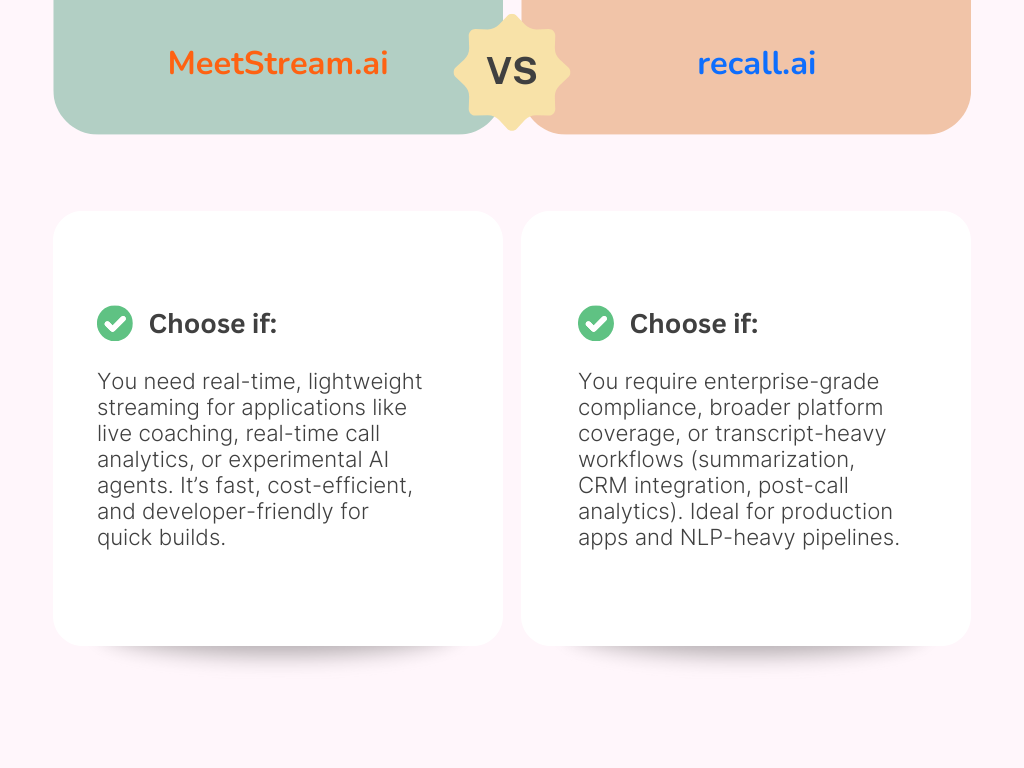
The MeetStream vs Recall.ai decision comes down to your architecture priorities:
Choose MeetStream if you need ultra-low latency streaming, a simple REST-first API, cost-effective pricing for early-stage companies, and the flexibility to pipe raw media into your own AI models. MeetStream is the better fit for real-time AI applications, startups, and developers who value speed and simplicity.
Choose Recall.ai if your application needs 6+ platform coverage today, a published 99.9% uptime SLA, and multi-language SDKs. Recall.ai is stronger for enterprise teams that prioritize breadth of platform support and proven at-scale reliability.
The best approach? Test both. Measure latency, transcript quality, and cost-effectiveness against your specific needs. Start with MeetStream’s free tier — you can launch your first bot in under 5 minutes with a single API call.
Related Resources
- Recall.ai Alternatives: 6 Best Meeting Bot APIs for Developers
- What Is an AI Meeting Bot? Everything You Need to Know
- Meeting Bot API: Complete Guide for Developers
- Best Meeting Bot APIs in 2025
- Speaker Diarization at Scale: A Developer’s Guide
- Building a Meeting Bot with Python: Step-by-Step