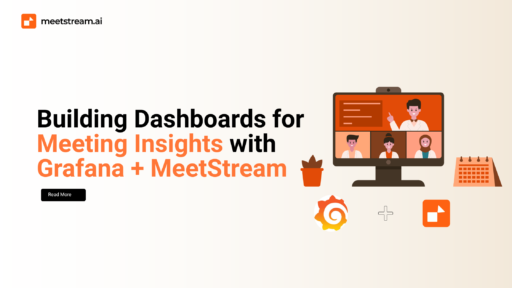

In today’s digital workplace, meetings are more frequent than ever, spanning multiple time zones, teams, and departments. Yet, while these discussions are often filled with crucial decisions, task assignments, and team dynamics, the information they contain is rarely used beyond the moment the meeting ends. Most meeting data like speaker contributions, sentiment shifts, or unresolved action items get buried in transcripts or forgotten in recordings. However, thanks to advances in AI and data visualization tools, that’s changing. Organizations can now extract real-time intelligence from meetings and display it through dynamic dashboards. By integrating MeetStream.ai with Grafana, teams can unlock deep insights into collaboration, productivity, and engagement.
This post walks you through how to build custom dashboards for meetings using Grafana and MeetStream. With structured meeting intelligence from MeetStream and the flexible visual capabilities of Grafana, you’ll learn how to transform raw transcripts and metadata into meaningful analytics. From visualizing talk time to monitoring participation trends, you’ll see how to create dashboards that give your team full visibility into what happens during and after your meetings.
Why Visualize Meeting Data?
Meetings are the heartbeat of organizational collaboration, yet they often lack transparency and measurable value. By visualizing meeting analytics, you convert raw conversational content into actionable business intelligence. Structured data like speaker duration, topics discussed, emotional tone, and decisions made can be extracted from transcripts using AI tools like MeetStream. Once this information is visualized, patterns begin to emerge: you can see who speaks the most, who barely contributes, which topics resurface repeatedly, and whether the overall tone of a conversation was positive or tense.
By surfacing these patterns, dashboards enable teams to measure engagement more precisely. For example, if one team member consistently dominates conversations while others remain quiet, managers can take steps to ensure balanced participation. Similarly, sentiment trends across recurring meetings can help identify rising tensions or misalignments within teams. Furthermore, dashboards also help identify meeting overload, particularly when certain individuals are constantly booked or when meetings exceed their intended durations. These visualizations not only support better time management but also ensure that meetings are aligned with business priorities.
Transparency is another major benefit. Leaders and project managers can stay informed about team dynamics and decision-making without needing to be present at every meeting. When data from meetings is transformed into dashboards, it becomes easier to align cross-functional teams, resolve bottlenecks, and track progress toward objectives. Ultimately, visualizing meeting data turns conversation into strategy unlocking a new layer of organizational intelligence.
Setting Up MeetStream for Analytics Output
To begin building Grafana meeting insights dashboards, you first need structured meeting data. MeetStream.ai is built specifically to turn meetings into structured, queryable data sources. Using its RESTful APIs, MeetStream allows you to export detailed JSON datasets that capture every aspect of a conversation. This includes speaker timestamps that track who spoke when and for how long, as well as action items, decisions, and discussion topics that are automatically extracted by AI models. MeetStream also captures sentiment data across each meeting, providing a temporal map of how the tone of the discussion evolved.
The meeting data exported from MeetStream can be stored in a time-series database or any SQL-compatible format. This is important because visualization tools like Grafana rely on structured backend storage to power their dashboards. Common options include InfluxDB for time-based metrics and PostgreSQL for tabular or relational data. Once data is pulled from MeetStream’s API, it can be processed via ETL scripts or automation tools and pushed into one of these databases.
For example, a team might create a daily scheduled job that queries the MeetStream API for all meetings held in the last 24 hours. The job would parse speaker contributions, sentiment scores, and extracted action items, then insert that data into InfluxDB with timestamps and speaker IDs. From there, Grafana can query it to create dynamic dashboards. MeetStream also supports webhook-based integrations, allowing data to be pushed in near real-time as soon as a meeting ends. This flexibility ensures that whether you prefer batch processing or live streaming, MeetStream fits seamlessly into your data pipeline.
Connecting MeetStream Data to Grafana
The power of Grafana lies in its ability to visualize data from a wide range of sources. Once your meeting data is stored in a compatible format, integrating it into Grafana is simple. MeetStream was designed to work smoothly with time-series and SQL databases, which means you can use InfluxDB, PostgreSQL, Prometheus, or similar systems as your data backend. Grafana’s native connectors and plugins allow it to query these sources and display the data in real time.
Depending on your architecture, you can either pull data from MeetStream using scheduled API requests or push it using MeetStream’s webhook system. The push model is ideal for real-time insights, as the webhook can trigger immediate updates whenever a new meeting concludes. The pulled model, on the other hand, offers more control and flexibility for aggregating historical data or performing scheduled data transformations.
Before you plug the data into Grafana, it may need some preprocessing. MeetStream’s API returns rich but nested JSON objects that often need flattening for time-series visualization. For example, speaker activity logs might need to be converted from start and end timestamps into speaker duration per interval. Sentiment scores can be bucketed into five-minute windows for smoother trend visualization. Topics and action items should be cleaned, labeled, and indexed to support keyword-level filtering and display.
Once preprocessing is complete and your database is populated, you can use Grafana’s dashboard builder to create panels, define queries, and configure alerts. With just a few clicks, your organization can have a real-time, insight-rich meeting transcription dashboard live and accessible.
Designing Your Meeting Dashboard in Grafana
Creating a meaningful dashboard requires more than just charts and graphs it requires context. The first component most teams add is a visualization of talk time per speaker. This can be represented as a bar chart showing the duration each participant spoke during a meeting or across a time window. This visualization highlights engagement imbalances and can help identify dominant voices or disengaged participants.
Next, sentiment analysis provides deep insights into how conversations evolve. By plotting sentiment scores over time as a line graph, teams can observe emotional shifts within a single meeting or across multiple meetings. A drop in sentiment during a discussion might indicate disagreement or confusion, while a steady rise could suggest productive alignment.
Another valuable visualization is topic frequency. Using either a word cloud or a ranked list, this panel shows the most commonly discussed keywords in meetings. It helps teams understand recurring themes, align discussions with strategic priorities, and spot emerging concerns. Meanwhile, a panel showing the number of meetings attended by each team or individual provides visibility into potential meeting fatigue, enabling better workload balancing.
Meetings also generate action items and decisions, and these should be tracked carefully. A table showing extracted tasks along with assignees and due dates provides a clear follow-up mechanism for post-meeting accountability. These tasks can also be integrated with platforms like Jira or Notion to automate tracking.
Grafana’s alerting system can be configured to monitor key trends. For instance, if average sentiment in meetings drops below a certain threshold or if one participant is speaking for over 70% of the time, alerts can be sent via Slack or email. These features make your dashboards not only informative but proactive guiding teams to take action when something goes off-track.
Advanced Use Cases for Meeting Dashboards
While the immediate benefit of visualizing meeting data lies in daily team operations, the true potential of dashboards extends far beyond routine check-ins. One compelling application is in team retrospectives. By reviewing dashboards of previous sprints or cycles, teams can analyze communication patterns, spot decision-making delays, and understand how sentiment evolved around key project moments. This brings a data-backed layer to agile rituals and improves long-term team health.
Another use case is for OKR check-ins. By tracking which objectives or key results are being discussed in meetings, teams can measure alignment. If certain OKRs are frequently mentioned, it suggests focus; if they’re absent from discussion, it may indicate a need for realignment. Dashboards can also help in sales environments, where client call summaries provide insight into call durations, objection handling, and sentiment shifts during pitches offering real-time coaching opportunities.
In HR and compliance contexts, dashboards can ensure fair meeting distribution across gender, roles, and seniority, track participation in DEI-related conversations, and surface compliance risks in internal discussions. For leadership teams, customized reports derived from these dashboards can summarize company-wide collaboration, highlight discussion trends, and visualize participation by team or department. These insights become invaluable in shaping culture, guiding policies, and driving strategic initiatives.
Conclusion
Meetings are an underutilized goldmine of organizational intelligence. With the right tools, you can extract, structure, and visualize that intelligence to drive smarter decisions, improve team dynamics, and hold everyone accountable. MeetStream.ai makes this possible by providing detailed, structured data from every meeting from transcripts and sentiment scores to speaker activity and task extraction.
When this rich data is connected to Grafana, it transforms into real-time, visual dashboards that empower teams to act. Whether you’re tracking talk time, monitoring engagement, or aligning meetings with business goals, these dashboards become a new visibility layer for your organization. They help leaders see the unseen, managers address the unnoticed, and teams make decisions grounded in data.
Final Call to Action
Want to automate meeting data extraction and get real-time insights?
Use MeetStream.ai to power your analytics and visualize what truly happens inside your organization’s meetings.