
According to a 2024 Flexera State of the Cloud report, 72% of enterprise teams cite infrastructure management overhead as their single largest bottleneck to shipping software faster.
For teams building meeting automation bots, this overhead is especially pronounced. Persistent servers must stay alive 24/7 to maintain socket connections, handle retry logic, and absorb unpredictable traffic spikes, even when no meetings are actively running. The result is wasted compute budget and engineering time spent on ops instead of features.
Serverless computing changes this equation. With platforms like AWS Lambda, code executes only when triggered by an event, and the infrastructure scales automatically. Applied to meeting bots, every transcript segment, diarization update, or meeting-end signal becomes a discrete event that invokes a stateless function, eliminating idle servers entirely.
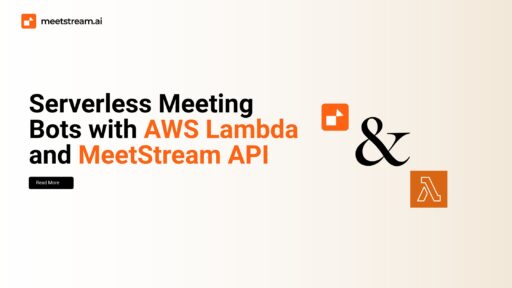
In this article, we’ll explore how to design and deploy serverless meeting bots by integrating AWS Lambda with the MeetStream API, covering architecture patterns, authentication, event orchestration, and cost optimization. Let’s get started!
Why Serverless for Meeting Bots?
Traditional bot deployments require persistent infrastructure to maintain socket connections, handle retries, and manage scaling spikes. This often leads to wasted resources—servers running idle when no meetings are active, or costly over-provisioning during peak hours. Serverless computing solves this by offering on-demand execution: code runs only when triggered, and costs align with usage.
For meeting bots, this elasticity is perfect. A sales team might only run bots during work hours, while a global support org may see unpredictable spikes. With AWS Lambda, each bot event (e.g., transcription chunk, diarization update, or meeting-end signal) becomes a trigger for stateless functions. Developers no longer worry about scaling servers—they just design event flows.
Another advantage is simplified operations. There’s no patching OS images, no scaling clusters, and no configuring load balancers. With Lambda + MeetStream, developers can focus solely on orchestrating meeting intelligence pipelines—capturing audio, annotating transcripts, pushing summaries into Notion, or alerting teams in Slack.
Architectural Overview: Lambda + MeetStream API
At a high level, the architecture works like this:
- MeetStream Bots: Created via the API, these bots join Zoom/Meet/Teams calls and generate events—transcripts, audio streams, diarization timelines, and completion signals.
- Webhook Gateway (API Gateway + Lambda): MeetStream delivers events via webhook POSTs to an AWS API Gateway endpoint. API Gateway triggers a Lambda function, which validates, processes, and routes data.
- Event Processing Functions: Dedicated Lambdas handle tasks like storing transcripts in DynamoDB, sending summaries to Notion, or invoking NLP models for real-time analysis.
- Storage & Analytics Layer: AWS S3 (for audio artifacts), DynamoDB (for structured transcript segments), and optional Kinesis streams (for high-volume real-time pipelines).
- Downstream Integrations: Slack, Jira, Salesforce, or any other SaaS tool connected via Lambda functions or EventBridge rules.
This serverless-first architecture embraces event-driven design. Each transcript segment is just another event, and Lambda acts as the glue that routes it where it’s needed. MeetStream abstracts away the complexity of multi-platform bots, while AWS handles infrastructure at scale.
Authentication and Security: Keys, OAuth, and Payload Verification
On the MeetStream side, API requests require your API key in the header:
Authorization: Token <your_api_key>
This key is used for bot creation, artifact retrieval, and status checks. In AWS, secrets should be stored in AWS Secrets Manager or SSM Parameter Store, never hardcoded in code. Functions retrieve them at runtime, ensuring keys stay encrypted at rest and in transit.
For calendar-based scheduling, OAuth 2.0 comes into play. If you want bots to auto-join meetings from Google Calendar, your Lambda must handle the OAuth flow:
- Redirect users for consent.
- Exchange authorization code for refresh token.
- Store refresh tokens securely for reuse.
Security doesn’t stop at API keys. Webhook endpoints exposed via API Gateway must enforce payload validation. MeetStream sends structured JSON payloads for events like transcript.segment. Your Lambda should:
- Verify request signatures (HMAC or JWT).
- Enforce HTTPS-only API Gateway routes.
- Rate-limit and reject malformed requests.
By combining MeetStream’s reliable API with AWS’s security features (IAM roles, Secrets Manager, WAF), you can ensure bots meet compliance requirements like SOC 2, GDPR, and HIPAA.
Event-Driven Orchestration with Lambda
The most powerful part of this architecture is event-driven orchestration. Each meeting event from MeetStream—whether a transcript line, diarization update, or meeting-complete signal—triggers a Lambda workflow.
Example:
- Transcript Segment Received: A Lambda normalizes text, tags speaker, and inserts it into DynamoDB. Another Lambda can simultaneously push the segment into a Slack channel.
- Meeting End Signal: A Lambda fetches the final transcript + diarization artifact from MeetStream’s API, then triggers an NLP summary (via AWS Bedrock or OpenAI API). The output is stored in Notion or emailed to stakeholders.
- Keyword Detection: Lambda scans incoming transcript events for keywords like “pricing” or “escalation,” and if found, triggers an alert workflow through EventBridge.
This design makes the orchestrator modular. Each function does one job, scales independently, and can be extended without redeploying monoliths. It’s the epitome of serverless meeting intelligence.
Handling Transcripts, Diarization, and Artifacts in AWS
When a meeting ends, MeetStream exposes multiple artifacts through its API: full transcripts, diarized speaker timelines, and audio recordings. In a serverless setup, AWS services become the storage and processing backbone:
- Transcripts: Stream live segments into DynamoDB for fast query access, then archive the complete transcript in S3 for long-term retention. DynamoDB enables near-instant lookups (e.g., “find all mentions of pricing”), while S3 provides compliance-friendly cold storage.
- Diarization: Speaker timelines can be processed in AWS Glue or Athena to analyze speaking time ratios, interruptions, or escalation patterns. Visualizations can then be embedded in BI dashboards.
- Audio Artifacts: Store audio in S3 buckets, apply Transcribe Medical or custom STT models, and pipe enriched text back to MeetStream workflows or external CRMs.
Because Lambda is stateless, always push artifacts to S3 or a database, then trigger downstream Lambdas for processing. This keeps your architecture modular and resilient against retries.
Real-World Use Cases
Sales Enablement
Imagine a sales rep running 10 demos a week. Each demo is joined by a MeetStream bot, streaming transcripts into DynamoDB via Lambda. A downstream function detects competitor mentions or pricing objections and instantly alerts the manager in Slack. After the call, a diarization artifact shows whether the rep dominated the conversation or gave the prospect enough airtime—powerful insights for coaching.
Customer Success & Support
Customer success teams often need to log every renewal or escalation call. With serverless meeting bots, each transcript is automatically written to Salesforce or HubSpot via Lambda connectors. Diarization helps verify compliance (“did we confirm terms with the account owner?”). Summaries can be auto-pushed into Notion or Confluence for internal visibility.
Compliance & Audit Trails
In regulated industries, calls must be recorded, timestamped, and stored with immutability guarantees. MeetStream’s artifacts combined with S3 Object Lock provide WORM (Write Once, Read Many) compliance. Audit logs can be enriched with diarization data, ensuring transparency about who said what, and when.
Cost Optimization and Scaling Best Practices
Serverless is cost-efficient by design, but meeting bots can generate high volumes of events. To stay within budget:
- Batch Transcript Events: Instead of processing every segment individually, use Kinesis Firehose to buffer events and trigger downstream Lambdas in batches.
- Choose Storage Wisely: DynamoDB for high-query workloads, S3 Glacier for long-term cold storage.
- Set Lambda Memory/Timeout Correctly: Assign only as much memory as needed for transcript processing. Use asynchronous queues (SQS) to decouple long-running NLP tasks.
- Monitor with CloudWatch: Track metrics like “cost per meeting,” “events per Lambda invocation,” and “latency from event → action.” This makes optimization data-driven.
With proper monitoring and batching strategies, most teams see costs scale linearly with meeting volume, while avoiding idle server overhead entirely.
Can you run a meeting bot on AWS Lambda?
Yes, meeting bots can be architected to run on AWS Lambda using an event-driven model. Since Lambda functions are stateless and short-lived, the bot logic is split into discrete functions triggered by MeetStream webhook events such as transcript segments or meeting-end signals. Persistent connections like WebRTC should be handled by other services, with Lambda managing downstream processing and orchestration.
How to build a serverless meeting bot?
To build a serverless meeting bot, use the MeetStream API to create bots that join meetings and stream events via webhooks. Configure AWS API Gateway to receive those webhook events and trigger Lambda functions that process transcripts, store data in DynamoDB or S3, and route outputs to downstream tools like Slack or Salesforce. Use Secrets Manager for API key storage and SQS for decoupling long-running NLP tasks.
What are the benefits of serverless meeting bots?
Serverless meeting bots eliminate idle server costs since functions only run when meetings are active. They scale automatically with usage, require no infrastructure management, and reduce operational overhead. Developers can focus on business logic such as transcript processing, keyword detection, and CRM integration rather than provisioning or maintaining servers.
How to handle state in a serverless meeting bot?
Since Lambda functions are stateless, all state must be externalized. Use DynamoDB to store session context such as meeting ID, participant list, and transcript segments. S3 is suitable for storing audio artifacts and complete transcripts. For workflows requiring coordination across multiple events, AWS Step Functions can orchestrate stateful sequences without holding state in the Lambda function itself.
Conclusion
By combining AWS Lambda with the MeetStream API, teams can build serverless meeting bots that are scalable, cost-effective, and enterprise-ready.
Lambda handles orchestration at event scale, while MeetStream abstracts away the complexity of joining Zoom, Meet, or Teams.
Together, they enable real-time transcription, diarization, audio capture, and seamless integration into the SaaS ecosystem your company already uses.
The biggest payoff is agility. Instead of maintaining servers, your developers focus on workflows: detecting critical keywords, generating summaries, enriching CRMs, and ensuring compliance.
With serverless, infrastructure fades into the background, and meetings turn into structured data pipelines that power sales, support, and decision-making.